AI Workspace: Docker Workspace Platform
A Go backend and a React frontend that together provide isolated, containerized development environments with integrated terminal access, persistent storage, and real-time communication.
Workspace-API: Backend Orchestrator
A Go-based API service for managing isolated Docker container workspaces with integrated terminal access, persistent storage, and real-time communication via WebSocket.
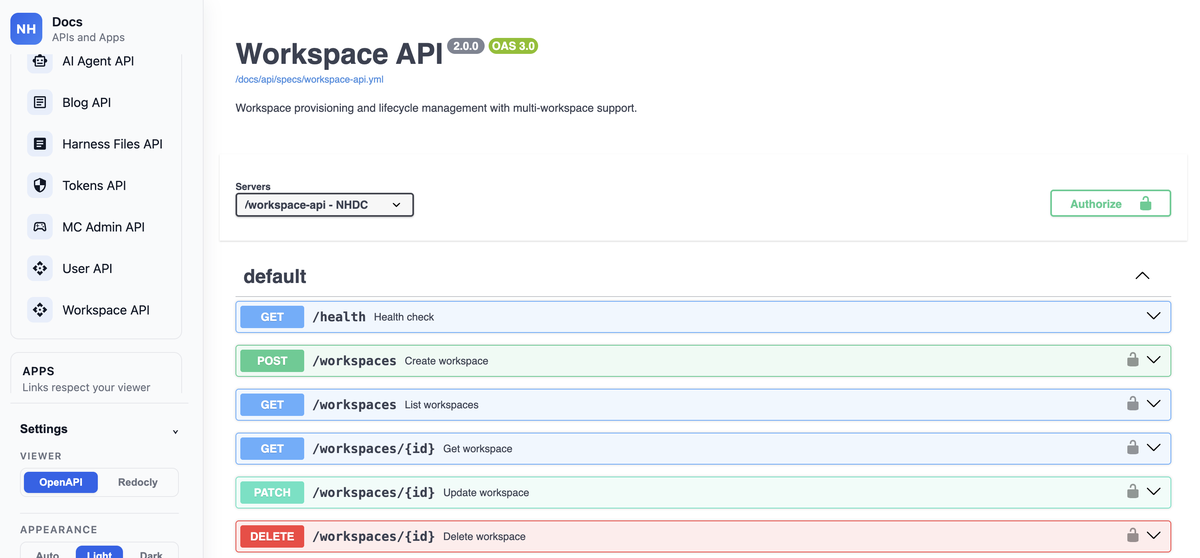
Workspace-API is the backend orchestrator for containerized development environments. It manages workspace lifecycle (creation, execution, teardown), handles file I/O operations, manages terminal sessions via WebSocket, and integrates with Redis for caching and Docker for container orchestration.
Key Features
Workspace Orchestration
- Container Lifecycle Management: Create, run, and terminate isolated Docker workspaces
- Dynamic Recovery: Automatic recovery of running workspaces on service startup
- Resource Isolation: Each workspace runs in its own container with independent filesystem and network
Terminal Management
- WebSocket Terminal Access: Real-time terminal sessions via
/workspace/:id/terminal - JWT-Based Authentication: Secure terminal connections with token-based auth
- Session Persistence: Store and manage terminal session tokens in Redis
Data Persistence
- MySQL Integration: Persistent workspace metadata and configuration storage
- File Operations: Direct file I/O for workspace content management
- Caching Layer: Redis-backed caching for performance optimization
Docker Integration
- Claudex Support: Optional Claudex container image building and management
- Container Health: Automatic recovery and health monitoring of running containers
- Docker Socket Access: Direct Docker API calls for full container control
Technical Architecture
workspace-api/
├── handlers/       # HTTP handlers for workspace CRUD and terminal operations
├── internal/
│   ├── database/   # MySQL connection and schema management
│   ├── docker/     # Docker client wrapper and container operations
│   ├── terminal/   # Terminal session management and WebSocket handling
│   └── redis/      # Redis client for caching and session storage
├── store/          # Data access layer for workspace state
├── docker/         # Docker utilities and container configuration
└── main.go         # Router wiring and dependency injection
API Endpoints
Workspace Management
POST /workspace- Create new workspaceGET /workspace/:id- Get workspace detailsDELETE /workspace/:id- Terminate workspacePOST /workspace/:id/exec- Execute commands in workspace
Terminal Operations
POST /workspace/:id/terminal-token- Request terminal access tokenWS /workspace/:id/terminal- WebSocket terminal connection
Dependencies
- Docker SDK: Container management and orchestration
- MySQL: Persistent workspace storage
- Redis: Session caching and terminal token management
- Gorilla WebSocket: Real-time terminal communication
- JWT: Secure terminal authentication
Workspace-Admin: Management UI
A React + Vite web application that provides a user interface for managing isolated Docker workspaces, complete with integrated terminal access and workspace configuration.
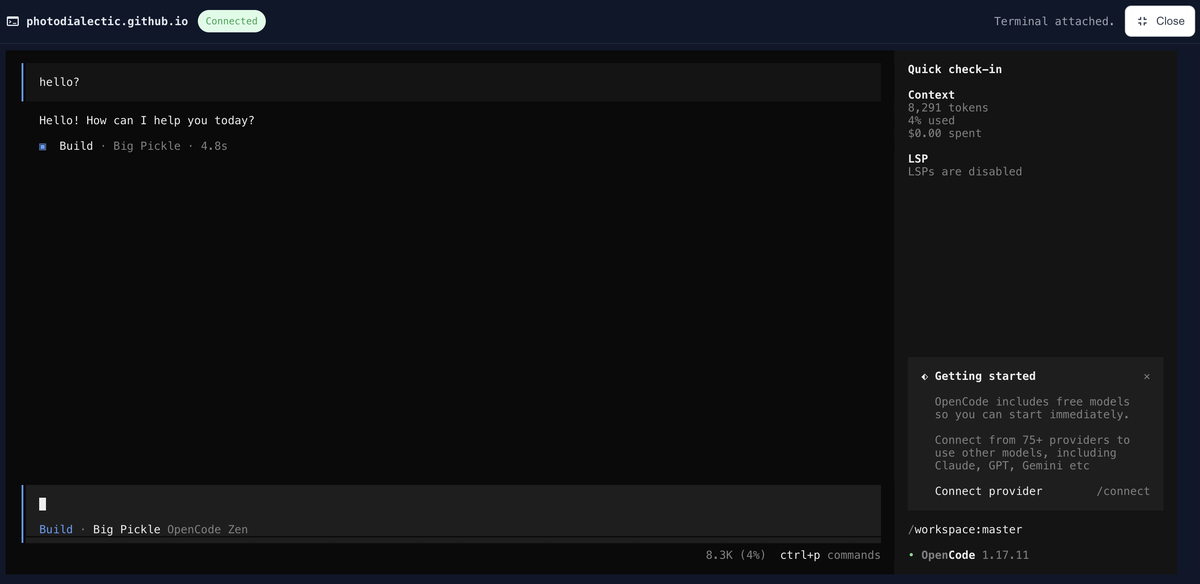
Workspace-Admin is the frontend for the Workspace-API, enabling users to create, manage, and interact with isolated development environments. Built with React 18, Vite, and xterm.js, it provides a modern interface for terminal access, workspace configuration, and real-time operations.
Key Features
Workspace Management UI
- Workspace Creation: Simplified interface for spinning up new isolated environments
- Workspace Listing: Browse and manage active workspaces
- Configuration Management: Adjust workspace settings and resource allocation
Integrated Terminal
- xterm.js Integration: Full-featured terminal emulator in the browser
- WebSocket Connection: Real-time terminal communication with Workspace-API
- Auto-connection: Automatic terminal attachment to selected workspace
Developer Experience
- Vite Hot Module Replacement (HMR): Fast development feedback loop
- Express Server: Dual-mode operation (dev with HMR, production serving)
- Consistent API Routing: Unified API route handling in both dev and prod
Authentication
- Auth0 Integration: Enterprise-grade authentication via Auth0
- Session Management: Secure workspace access control
Technical Architecture
workspace-admin/
├── src/
│   ├── components/     # React UI components for workspace management
│   ├── pages/          # Page-level components
│   ├── hooks/          # Custom React hooks
│   └── App.jsx         # Root application component
├── server/
│   ├── index.js        # Production Express server
│   ├── dev.js          # Development server with Vite middleware
│   └── routes.js       # Shared API route handlers
├── vite.config.js      # Vite configuration with React plugin
└── package.json        # Dependencies and scripts
Available Scripts
npm install— Install dependenciesnpm run dev— Start Express + Vite dev server with HMR (port 10131)npm run build— Build optimized production bundlenpm run preview— Serve production build locallynpm run start— Run Express server with built app
Integration Points
Workspace-API Communication
- Base URL: Configurable via
VITE_WORKSPACE_API_BASEenv var (defaults to/workspace-api) - Terminal Endpoint: WebSocket connection to
/workspace-api/workspace/:id/terminal - Token Management: Requests terminal tokens via
POST /workspace/:id/terminal-token
Deployment Configuration
- App Path: Served under
/workspace-admin/route (configured in vite.config.js) - Allowed Hosts: Configured for local.dev, dev, stage, and production domains
- Container Setup: Docker volume for
/app/node_modulesto avoid bind mount shadowing
Technology Stack
- Frontend: React 18.3, React Router 6
- Build Tool: Vite 5.2
- Terminal: xterm.js 6.0
- Server: Express.js 4.19
- Authentication: Auth0