AI Chat
Two interfaces onto the same conversational stack: a full-featured web application and a terminal-native client, both backed by my self-hosted AI-API gateway.
Chat-GPT: Web Application
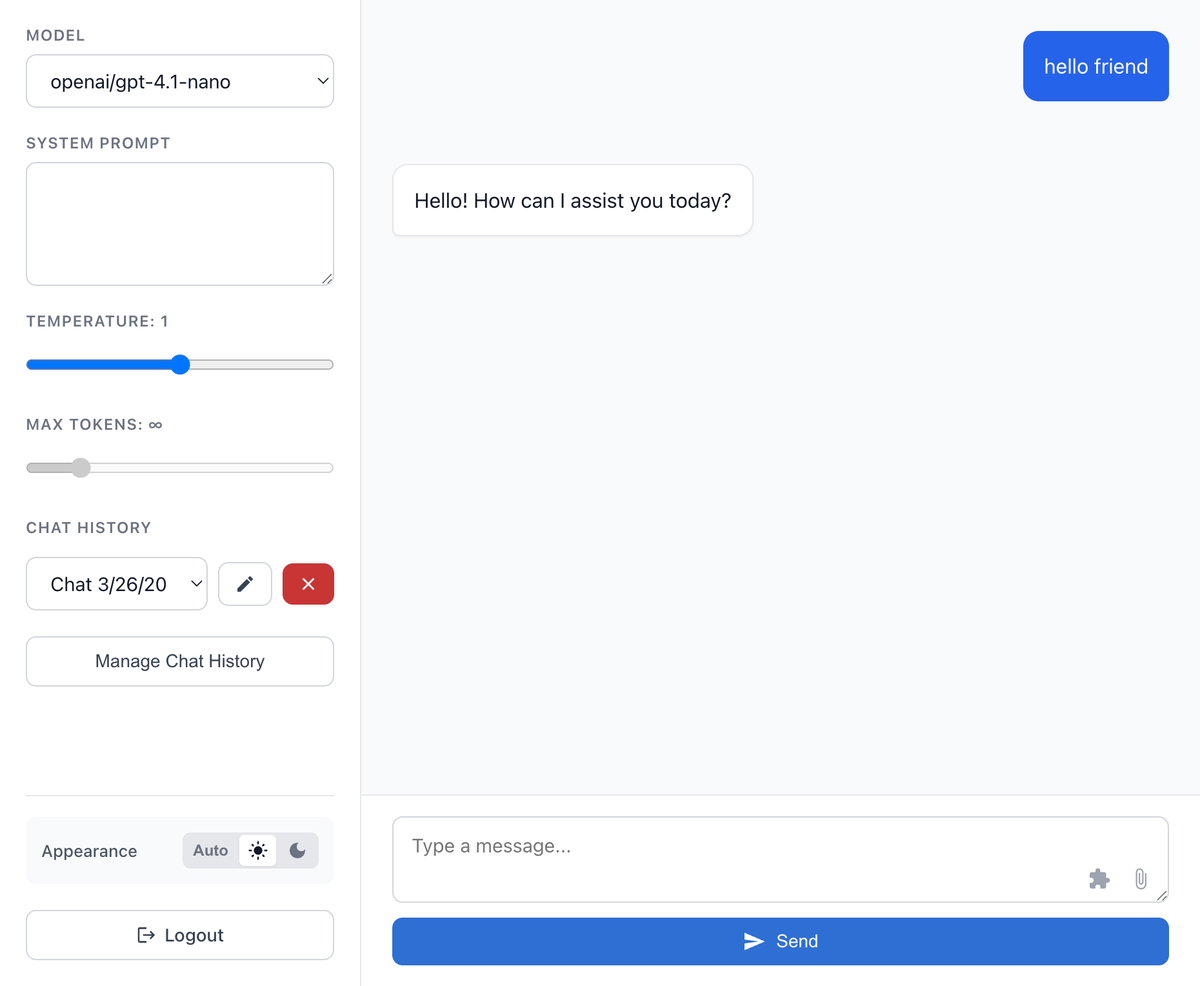
A NextJS/React web application that provides a clean interface for AI conversations with multiple model support and persistent chat history.
Overview
I built this application in the summer of 2023 to explore OpenAI’s API and experiment with AI APIs in general. I use it daily as an alternative to ChatGPT for quick questions and brainstorming.
I continue to add features such as tool calling; model switching backed by my self-hosted AI-API gateway; vision support; code formatting; and copy buttons.
Key Features
Multi-Model Support
- Model Selection: Switch between different AI models (GPT-4, GPT-4o-mini, etc.) within the same chat
- Provider Integration: Uses my AI-API service as a unified backend for multiple AI providers
- Dynamic Configuration: Model availability and settings managed server-side
Chat Management
- Persistent History: All conversations saved to MySQL database with user association
- Auto-Save: Chat content automatically saved as you type using custom React hooks
- Chat Organization: Browse and resume previous conversations
- Real-time Streaming: Responses stream in real-time for better user experience
Technical Architecture
Frontend Stack
- NextJS: React framework with API routes for backend integration
- Custom Hooks:
useChatAutoSave: Automatic saving of chat contentuseChatData: Chat history and message managementuseChatSettings: User preferences and model selectionuseChatStream: Real-time message streaminguseStoredConvos: Local storage integration
Backend Integration
- AI-API Connection: Interfaces with my self-hosted AI gateway
- Database Layer: MySQL for chat persistence and user data
- Authentication: Auth0 SDK for secure user sessions
Component Architecture
components/
├── ChatHistoryModal.js    # Chat browsing and selection
├── ErrorBoundary.js       # Error handling wrapper
├── chat.js               # Main chat interface
├── functions.js          # Tool calling and function execution
├── history.js            # Chat history sidebar
├── login.js              # Authentication components
├── main.js               # Layout and navigation
├── menu.js               # Settings and model selection
└── message.js            # Individual message rendering
Implementation Details
Streaming Chat Interface
The application handles real-time AI responses through a streaming API endpoint that processes chunks of data as they arrive, updating the UI incrementally for a smooth conversation experience.
Auto-Save Functionality
Custom React hooks automatically save chat content to prevent data loss, with debounced saving to avoid excessive database writes while maintaining responsiveness.
Tool Integration
The chat interface supports AI tool calling, allowing the AI to execute functions and integrate external data sources during conversations.
Chat-TUI: Terminal Interface
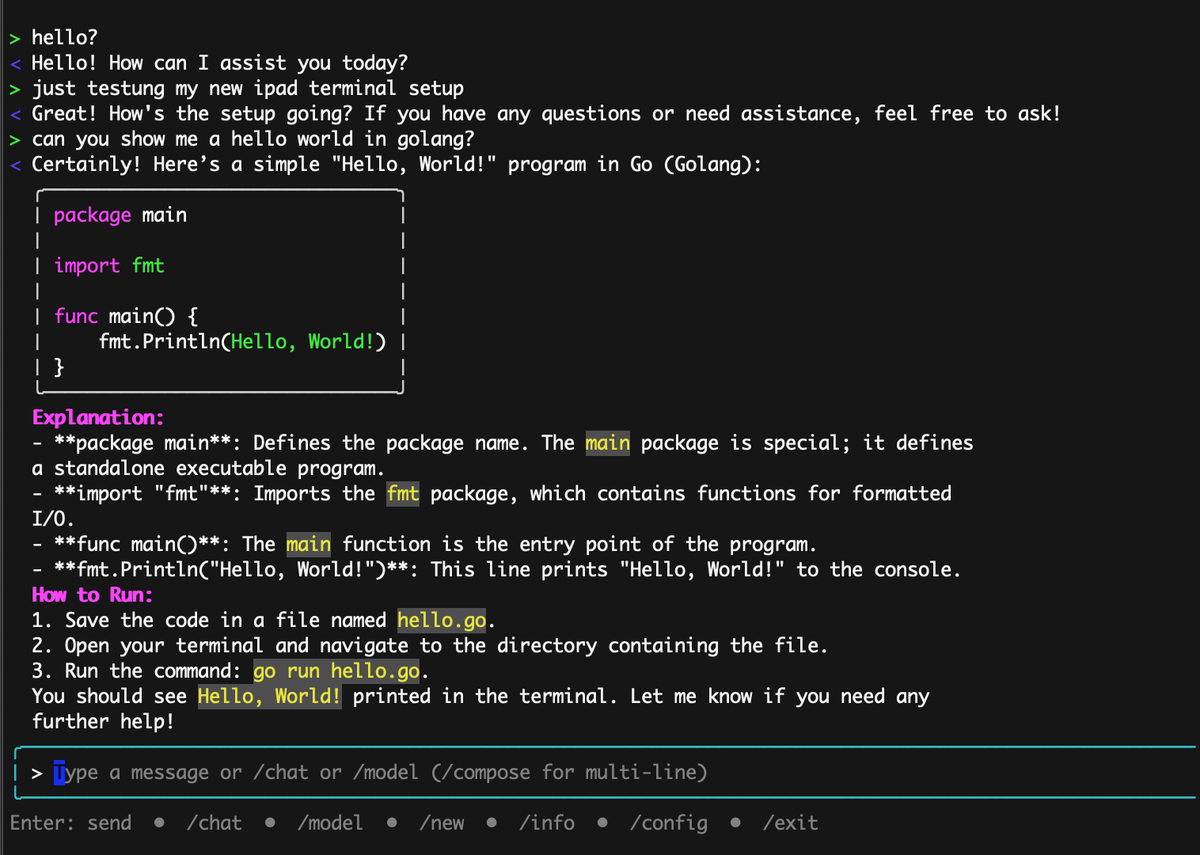
A Go-based terminal user interface for AI conversations built with Bubble Tea, providing a lightweight command-line alternative to web-based chat applications.
Overview
After building the web-based Chat-GPT application, I wanted a terminal-native way to interact with AI models. Chat-TUI fills this gap by providing a fully featured chat interface that runs in the terminal with persistent configuration and seamless model switching. This also gave me an opportunity to validate an access-token authentication flow using Auth0.
Key Features
Terminal-Native Interface
- Bubble Tea Framework: Built using Charm’s Bubble Tea for rich terminal UIs
- Color Support: Full color support with automatic detection and theming
- Mouse Support: Optional mouse tracking for text selection
- Keyboard Navigation: Efficient keyboard-driven interface with intuitive shortcuts
Chat Management
- Persistent State: Configuration and chat history saved to local JSON files
- Chat Switching: Browse and switch between multiple conversations with
/chatcommand - Model Selection: Interactive model picker with real-time switching via
/modelcommand - Multi-line Composition: Dedicated compose mode for longer messages with
/compose
Configuration System
- JSON Configuration: Config is stored in
~/.config/chat-tui/config.json(or/data/config.jsonin Docker). - Token Management: Access token is copied from the Auth flow and persisted in config.
- Docker Support: Containerized deployment with volume mounting for persistent state.
Technical Implementation
Go Architecture
internal/
├── api/          # HTTP client and streaming logic
│   ├── client.go
│   ├── stream.go
│   └── types.go
├── state/        # Application state management
│   └── state.go
└── render/       # Text rendering and formatting
    ├── markdown.go
    └── wrap.go

ui/               # Bubble Tea interface components
├── model.go      # Main application model
├── view.go       # UI rendering logic
├── update.go     # Event handling
└── commands.go   # Command processing
Command System
Built-in Commands
/chat [number]: List and select conversations/model [name]: Interactive model selection or direct model setting/compose: Multi-line message composition mode/config: Display current configuration and token status/exit: Quit the application
Authentication Flow
- Visit the Auth0 token endpoint (
/auth/token) - Log in and copy the provided access token
- Paste the token into the TUI for automatic saving
Configuration Example
{
  "token": "<ACCESS_TOKEN>",
  "api_base": "https://www.nickhedberg.com/chat-gpt",
  "model_id": "gpt-4o-mini",
  "chat_id": "optional-existing-chat-id"
}
Docker Deployment
The application is fully containerized with sensible defaults:
- Color support enabled automatically
- Volume mounting for persistent state
- Host network access for API connectivity
- Environment variable overrides for theming
Use Cases
Chat-TUI excels in scenarios where:
- Server Administration: Quick AI assistance while working on remote systems
- Development Workflow: Integrated AI help without leaving the terminal
- Resource Efficiency: Lightweight alternative to web interfaces
- Automation: Scriptable AI interactions for workflow integration